DartConnect is the perfect platform for any size league, whether you’re a casual group of friends playing for fun or serious competitors seeking intense competition.
Gone are the days of chasing down match scores, filling out spreadsheets and updating websites. Let us do the work, while you take the credit.
READ OUR GUIDE:
5 Key Steps to Starting an Online Singles League
DartConnect is the perfect platform for any size league, whether you’re a casual group of friends playing for fun or serious competitors seeking intense competition.
Gone are the days of chasing down match scores, filling out spreadsheets and updating websites. Let us do the work, while you take the credit.
READ OUR GUIDE:
5 Key Steps to Starting an Online Singles League

Contact us to learn more:
leagues@dartconnect.com

Every DartConnect league receives it’s own League Portal – a secure website to help keep things organized and efficient.
After we receive your sign up form:
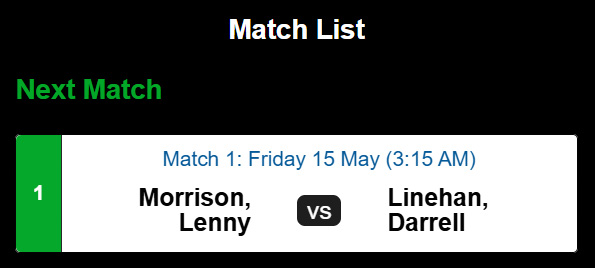
1. Select the Match:
Choose your scheduled online league match on your device as usual.
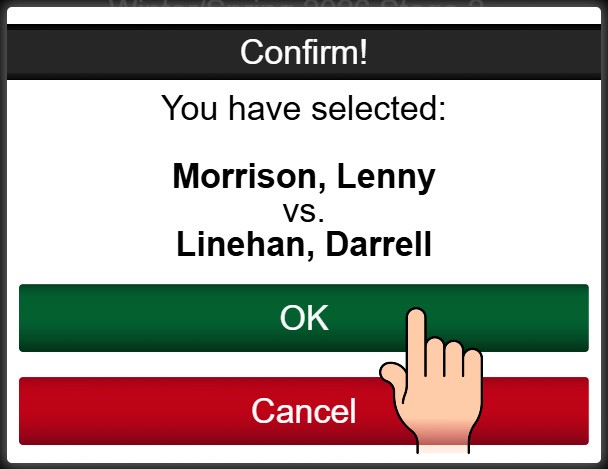
2.Confirm Entry:
Click “OK” to confirm you are ready to play.
3.Wait for Connection:
The standard waiting screen will appear while the system pairs you with your opponent.
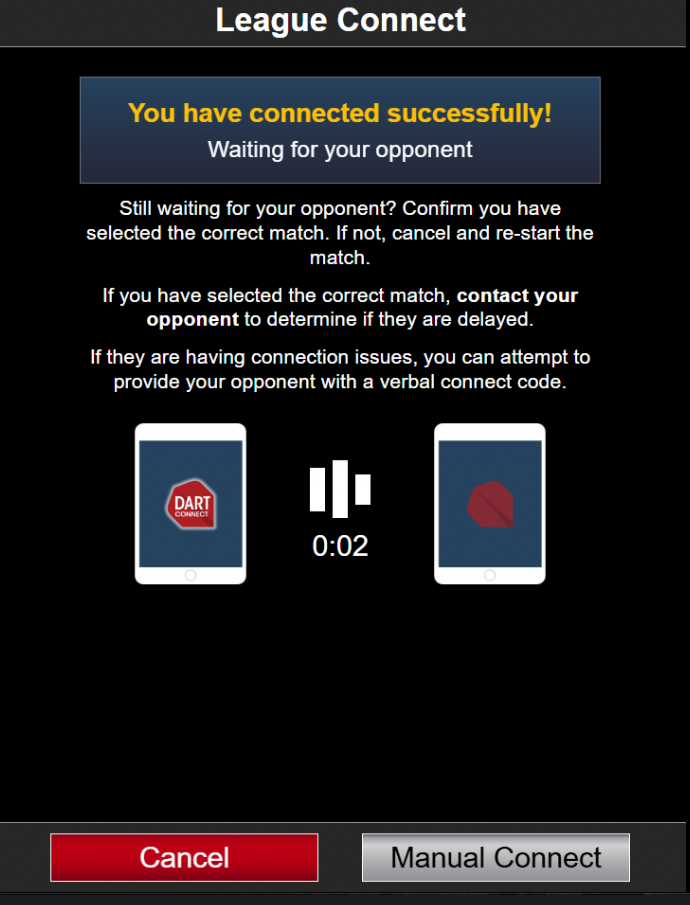
4.Automatic Start:
AFTER both players have joined, the match will begin automatically.
💡 Troubleshooting Tip: If the match fails to connect automatically after several minutes, the host player can tap the “Manual Connect” button to generate a traditional connection code.
League administrators must manually activate this option in the League Portal.
Go to Home Tab > League Settings and Toggle on the new connection feature:
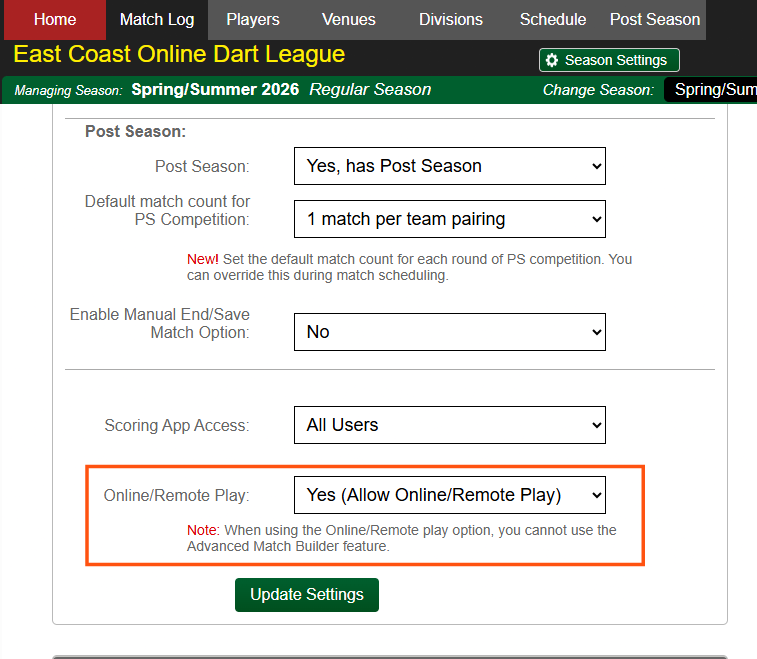
Please note the specific criteria required to use this enhanced feature:
Singles Leagues Only: This is only available for online leagues with 1 vs 1 matches.
Scheduling Tool: The league must use the DartConnect Scheduling Tool.
Personal Login Only: Players must login with their personal account and not a league provided “proxy login”
If you have questions or need assistance setting up this feature for your league, please contact our league services team at leagues@dartconnect.com.
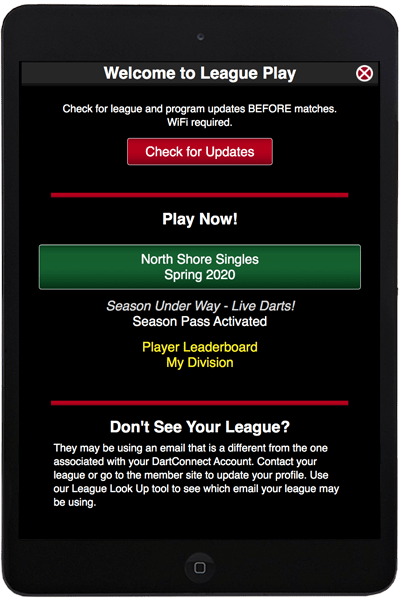
Select Leagues & Groups
Select Green League Button
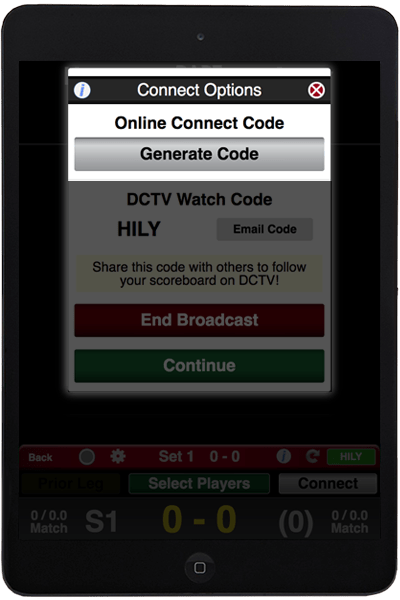
Select Connect Button
Generate Connect Code
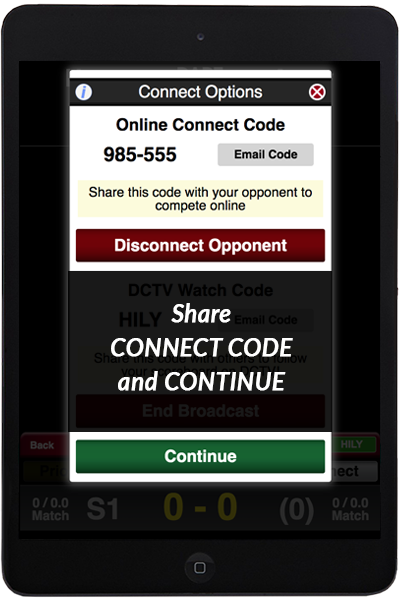
Share Code with Guest Opponent
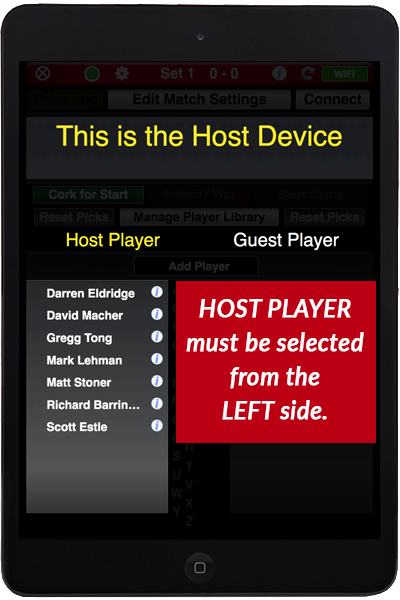
Select Opponents & Start Match
Select Play Online
Choose Your Experience
Enter Code & Continue
While the game of darts allows us to play remote (good thing we are not pool players), playing on-line requires us to modify some of our in-person behavior to improve the experience for participants. Here are a few considerations. We will be adding more as we get feedback from on-line veterans.
Who Goes First?
Even if you are using a webcam, the custom of aiming for the bull to determine the starting player can be a challenge when playing on-line. If you would like to continue this tradition, we recommend using the “PDC Bull” rule, in which only darts inside the Bull, or Double Bull count. If both players achieve a single bull or a double bull (a “tie”) then the players re-bull.
To speed up match play, consider dispensing with this custom and utilize “Random” or “Coin Flip” for the starting player.
Traditionally, players bull up before every Cricket leg. Again, for the sake of expediency, we recommend alternating or playing “Mugs Away” (loser starts the subsequent leg).,
Required Components: DC and Reliable Internet
Recommended Broadband Speeds

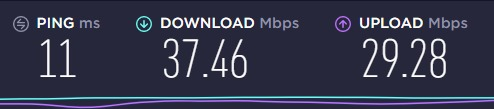
There are many factors that contribute to internet reliability, including the location of the router, the age of the device, your internet service provider and the number of devices in your household competing for bandwidth. DartConnect does not requires a lot, but remember, upload speed matters, and this is normally a weak aspect of home service. Using the device you will be scoring on, in the location you will be playing in, you can use speedtest.net or google speed test. Remember, any streaming service, music, web cams, movies etc. consumes lots of bandwidth, creating traffic DartConnect must compete with.
If your router is old or the standard one provided by the cable company, consider investing in a Mesh Network – this technology has resolved many hard to reach dart alleys.
Phone or VOIP Group Chat
Group Chat Options
Historically Skype and Google Hangouts have been the go to services for DartConnect Members when using a webcam. A relative new service called Discord has received promising reviews.
For convenience, What’s App, FaceTime or a an old fashion conference call is tough to beat. What’s at risk with a friendly game of darts among friends anyway?
AirPods and Bluetooth Headphones
With the proliferation of bluetooth headsets, we have more options than ever to be engaged conversationally with our opponents, while listening to music in the background.
Webcam or Video
Webcam Mounting Options
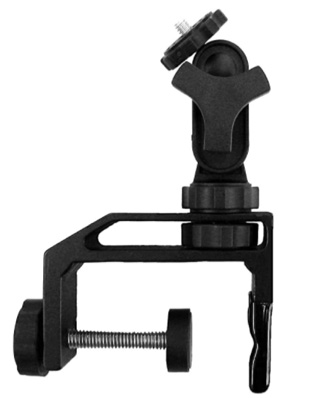
Better webcams have a 1/4 thread tripod screw sleeve that enables simple mounting options (no duct tape needed!). Combine this with a camera clamp you allow for multiple mounting options.
The Pedco UltraClamp is a personal favorite for its versatility and durability – its clamp mechanism is designed to work with both flat surfaces and poles. The swivel feature allows you to aim your webcam as needed.
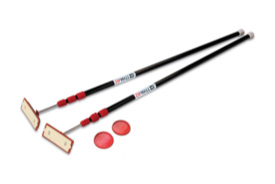
The recent introduction of Ring Lights creates a new mounting option. If you do not have one of these lights, consider using a “spring pole”. Spring poles are designed to be easily moved and stored as needed. These can be found at hardware stores, paint stores and on Amazon.
“ZipWall” is one manufacturer of these spring poles, and they make both 10 ft and 12 ft versions (check your ceiling height before ordering).
Pro Tip: These are always typically sold in 2 or 4 packs. Partner up with your mates and share the cost.


If the app screen freezes or you see the "endless spinner"
If the app freezes or shows a spinner that spins for a long time, especially while saving and syncing match data to our servers, the typical solution is to “refresh” the application.

NOTE:
App response is sluggish, turn recording is "lagging"
Smooth online play requires a reliable WiFi Internet connection.
If you are experiencing slow or sluggish response from the app while playing online, for example, if it takes a long time to record scores and pass the control back and forth between players, this is most commonly caused by slow or compromised Internet connectivity.
First, measure your WiFi speeds, try speedtest or Google:
Please note that Internet speeds can be negatively affected by the following:
How to improve your Internet speeds for online play:
This site uses cookies. By continuing to browse the site, you are agreeing to our use of cookies.
OKLearn moreWe may request cookies to be set on your device. We use cookies to let us know when you visit our websites, how you interact with us, to enrich your user experience, and to customize your relationship with our website.
Click on the different category headings to find out more. You can also change some of your preferences. Note that blocking some types of cookies may impact your experience on our websites and the services we are able to offer.
These cookies are strictly necessary to provide you with services available through our website and to use some of its features.
Because these cookies are strictly necessary to deliver the website, refuseing them will have impact how our site functions. You always can block or delete cookies by changing your browser settings and force blocking all cookies on this website. But this will always prompt you to accept/refuse cookies when revisiting our site.
We fully respect if you want to refuse cookies but to avoid asking you again and again kindly allow us to store a cookie for that. You are free to opt out any time or opt in for other cookies to get a better experience. If you refuse cookies we will remove all set cookies in our domain.
We provide you with a list of stored cookies on your computer in our domain so you can check what we stored. Due to security reasons we are not able to show or modify cookies from other domains. You can check these in your browser security settings.
We also use different external services like Google Webfonts, Google Maps, and external Video providers. Since these providers may collect personal data like your IP address we allow you to block them here. Please be aware that this might heavily reduce the functionality and appearance of our site. Changes will take effect once you reload the page.
Google Webfont Settings:
Google Map Settings:
Google reCaptcha Settings:
Vimeo and Youtube video embeds:
You can read about our cookies and privacy settings in detail on our Privacy Policy Page.
Privacy Policy