
Darts Thrown Year-to-Date





Say Goodbye to Connect Codes: Introducing Automatic Remote Connections for Online Singles Leagues
Available starting Monday, May 25, 2026
DartConnect has made significant under-the-hood improvements to reliability when linking remote players for online singles league matches. Say goodbye to connection friction and enjoy a faster, more seamless setup!
What’s Changed?
- No more connect codes! Matches now link automatically as soon as both players select the match.
- Longer connection windows! No more rigid timing. Connect when you’re ready without strict coordination stress.
- Flexible entry! Anyone can connect first! Away players no longer have to wait for the Home/Host player to initiate.
⚠️ NOTE: This feature is also available for ALL tournament formats that use DartConnect’s Digital Steel event management service. Learn More
How It Works
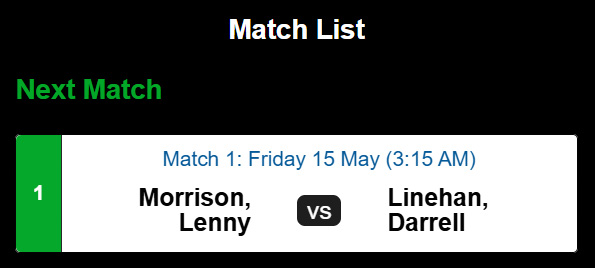
1. Select the Match:
Choose your scheduled online league match on your device as usual.
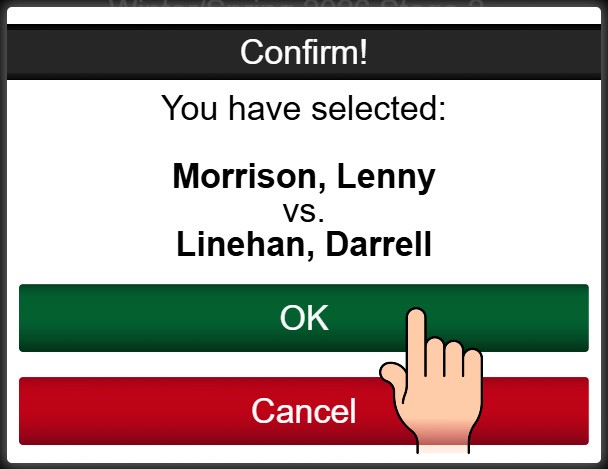
2.Confirm Entry:
Click “OK” to confirm you are ready to play.
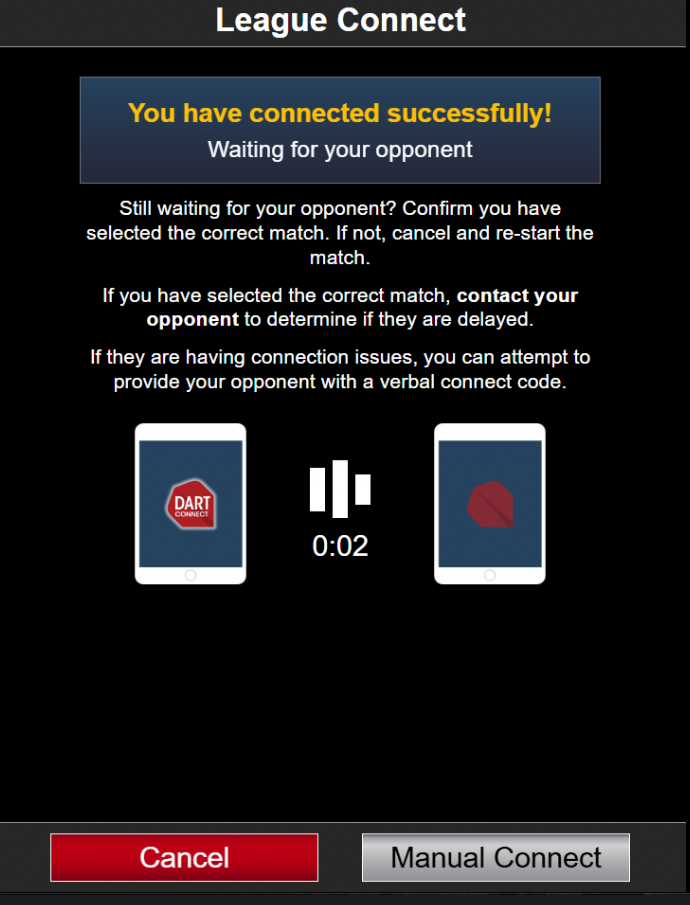
3.Wait for Connection:
The standard waiting screen will appear while the system pairs you with your opponent.
4.Automatic Start:
AFTER both players have joined, the match will begin automatically.
💡 Troubleshooting Tip: If the match fails to connect automatically after several minutes, the host player can tap the “Manual Connect” button to generate a traditional connection code.
⚠️ Important Requirements & Compatibility
Please note the specific criteria required to use this enhanced feature:
-
Singles Leagues Only: This is only available for online leagues with 1 vs 1 matches.
-
Scheduling Tool: The league must generate match lists (aka “fixtures”) using the DartConnect Scheduling Tool.
-
Personal Login Only: Players must login with their personal account and not a league provided “master/proxy login”
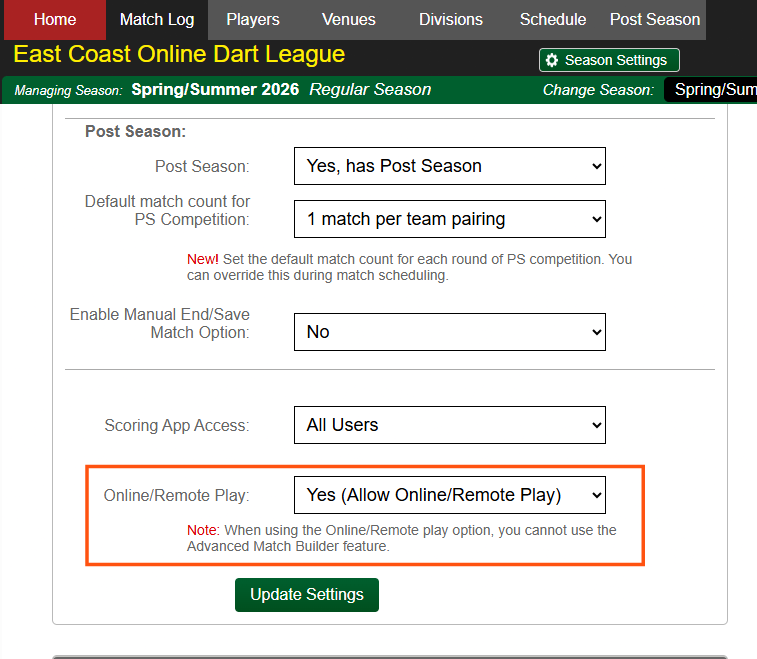
- Match Settings: Matches MUST be created using BASIC match format settings. This feature is NOT compatible with the Advanced Match Builder.
🛠️ How to Enable This Feature (For League Administrators)
League administrators must manually activate this option in the League Portal.
Go to Home Tab > League Settings and Toggle on the new connection feature:
📧 Need Support?
If you have questions or need assistance setting up this feature for your league, please contact our league services team at leagues@dartconnect.com.